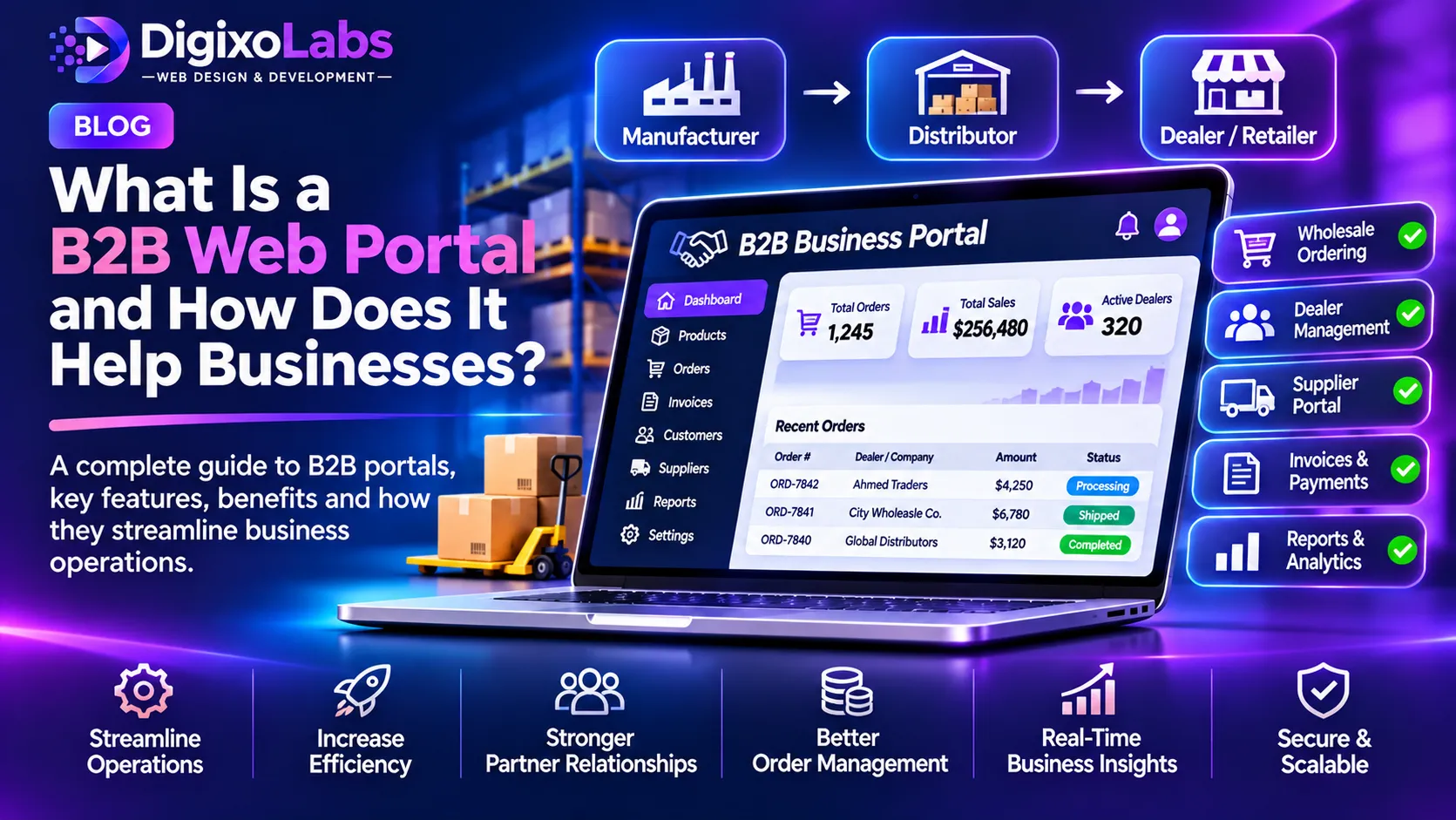
What Is a B2B Web Portal and How Does It Help Businesses?
Businesses today need efficient ways to manage customers, suppliers, distributors and business partners. As companies grow, handling orders, enquiries, documents and communications through emails, phone calls and spreadsheets can become increasingly difficult.
This is where a B2B web portal can make a significant difference.
A Business-to-Business (B2B) web portal provides a central online platform where businesses and their partners can communicate, exchange information, manage transactions and access important business services.
Whether you operate a wholesale business, distribution company, manufacturing business or service organisation, a custom B2B portal can help simplify operations and improve business relationships.
In this guide, we explain what a B2B web portal is, how it works, its essential features and how businesses can benefit from custom web portal development.
What Is a B2B Web Portal?
A B2B web portal is a secure, web-based platform designed to connect businesses with other businesses.
Unlike a traditional company website, which primarily provides information about products and services, a B2B portal offers interactive features that allow registered users to perform business activities.
For example, a wholesale company could develop a B2B portal where dealers and retailers can:
Create business accounts.
Log in to their personal dashboards.
Browse products and wholesale prices.
Place orders online.
Check order status.
Download invoices.
View payment information.
Submit support requests.
Communicate with the supplier.
Instead of managing every request manually, the company can provide its business partners with a central platform for handling these activities.
A B2B web portal can be developed according to a company's specific requirements, workflows and business model.
How Does a B2B Web Portal Work?
A typical B2B web portal operates through different user accounts and permission levels.
Each user receives access to features relevant to their role.
For example, a distributor, supplier, customer and administrator may all have different dashboards.
Here is how a typical B2B portal works:
1. Business Registration
Companies can register through an online registration form.
The registration process may collect:
Company name
Business registration details
Contact person
Email address
Phone number
Business address
Tax identification information
Depending on the business model, accounts can require administrator approval before activation.
2. Secure Login and Dashboard
Once approved, users can log in and access their dedicated dashboards.
The dashboard displays relevant information such as orders, enquiries, invoices, documents and account details.
Different user roles can have different permissions.
3. Business Transactions
Registered users can perform business activities directly through the portal.
For example, dealers can place wholesale orders, suppliers can update product information and customers can track their requests.
4. Centralised Administration
The business owner or administrator manages the entire platform through an administration panel.
Administrators can manage accounts, approve registrations, monitor transactions, update information and generate reports.
This creates a more organised and controlled business environment.
10 Essential Features of a B2B Web Portal
A successful B2B portal should include features that solve actual business problems.
The exact functionality depends on the company's industry, size and operational requirements.
Here are ten important features to consider.
1. User Registration and Role Management
A B2B portal should support different types of users.
For example:
Administrators
Dealers
Distributors
Suppliers
Wholesale customers
Retail partners
Corporate clients
Each account can have specific permissions and dashboard access.
This helps businesses control who can access information and perform different activities.
2. Dedicated Customer and Partner Dashboards
A personalised dashboard allows users to access important information without contacting the company every time.
Depending on the portal, users may be able to view:
Account information
Recent activities
Orders and transactions
Pending requests
Invoices
Important notifications
Downloadable documents
A well-designed dashboard makes the platform easier to use.
3. Product Catalogue and Wholesale Pricing
For wholesalers and distributors, a product catalogue is an essential feature.
Businesses can display products with descriptions, images, specifications and pricing.
More advanced portals can support:
Customer-specific pricing
Wholesale price lists
Minimum order quantities
Bulk purchasing
Product availability
Category-based access
For example, different dealers can receive different pricing based on their agreements with the supplier.
4. Online Order Management
An integrated order management system allows business customers to place orders directly through the portal.
Customers can:
Browse available products
Add products to their order
Submit purchase requests
Review previous orders
Track order progress
Download order documents
Administrators can manage incoming orders, update statuses and communicate with customers.
5. Invoice and Payment Management
A B2B portal can simplify financial communication between businesses.
Depending on the requirements, it may include:
Invoice generation
Payment records
Outstanding balances
Downloadable invoices
Payment history
Credit limit information
Payment reminders
Businesses can give customers access to their financial information without repeatedly sending documents manually.
6. Supplier and Vendor Management
Companies working with multiple suppliers can use dedicated supplier portals.
Suppliers may be able to:
Update company information
Submit quotations
Upload documents
View purchase orders
Update delivery information
Respond to enquiries
This helps centralise supplier communication and documentation.
7. Document Management
Businesses frequently exchange important documents, including contracts, quotations, invoices, purchase orders and product specifications.
A document management feature allows authorised users to upload, view and download files.
Access permissions can help protect confidential business information.
8. Enquiry and Support Management
Instead of handling every request through separate email conversations, businesses can provide an integrated enquiry and support system.
Customers can submit enquiries, report issues and follow up on requests.
Administrators can assign enquiries to staff members and monitor their progress.
9. Notifications and Communication
Automated notifications help users stay informed about important activities.
Examples include:
New order notifications
Order status updates
Invoice notifications
Account approval messages
Payment reminders
Support ticket updates
Notifications can be delivered through email, WhatsApp integrations or in-platform alerts, depending on the implementation.
10. Reports and Analytics
Business owners need information to understand how their operations are performing.
A B2B portal can provide reports covering:
Total orders
Customer activity
Sales performance
Outstanding payments
Supplier performance
Product demand
Enquiry activity
These insights can help management make better business decisions.
Types of B2B Web Portals
Not every business needs the same type of portal.
Different industries require different functionality and workflows.
Here are some common types of B2B portals.
1. Wholesale and Dealer Portals
Wholesale portals connect manufacturers, wholesalers, distributors and retailers.
They allow registered dealers to browse products, view wholesale prices, place bulk orders and manage their accounts.
These portals are especially useful for businesses managing multiple dealers or retail partners.
2. Supplier Portals
A supplier portal provides a central platform for communication between companies and their suppliers.
It can manage supplier registration, quotations, purchase orders, documents and delivery updates.
3. Customer Portals
A customer portal gives clients access to their accounts, invoices, projects, support requests and important documents.
Service companies can use customer portals to improve communication and provide a better customer experience.
4. Distributor Portals
Distributor portals help manufacturers and suppliers manage their distribution networks.
They can include product catalogues, regional pricing, inventory visibility, order management and sales reporting.
5. Employee and Internal Business Portals
Some companies develop internal portals for their employees and departments.
These systems can include:
Employee dashboards
Document sharing
Leave requests
Task management
Internal announcements
Department-specific access
6. B2B eCommerce Portals
A B2B eCommerce portal allows businesses to sell products directly to other businesses through an online ordering platform.
It can support bulk purchases, negotiated pricing, customer-specific catalogues and business account management.
B2B Web Portal vs Traditional Business Website
Many businesses already have a company website and wonder whether they need a separate web portal.
The difference is mainly in functionality.
| Traditional Business Website | B2B Web Portal |
|---|---|
| Primarily provides business information | Supports interactive business activities |
| Publicly accessible pages | Often requires user authentication |
| Displays products and services | Can support ordering and transactions |
| Contact forms and enquiries | Dedicated customer and partner dashboards |
| General website content | Personalised business information |
| Basic administration | Advanced user and workflow management |
A traditional website is useful for attracting potential customers and presenting a company's services.
A B2B portal is designed to manage ongoing interactions with customers, suppliers and business partners.
Many companies benefit from having both systems working together.
Why Choose Custom B2B Web Portal Development?
Ready-made software can be useful for businesses with standard requirements.
However, some organisations have unique workflows that cannot easily be managed through generic platforms.
Custom B2B web portal development allows businesses to build software around their actual operations.
Here are some important advantages.
Designed Around Your Business
A custom portal can be developed according to your company's specific requirements.
You can decide which features, dashboards, workflows and user roles are needed.
Better Workflow Automation
Manual processes can be converted into automated online workflows.
For example, customer registration, order submissions, notifications and document handling can be managed through the platform.
Flexible User Permissions
Different departments, partners and customers can receive access to specific functions.
This provides greater control over business information.
Integration With Existing Systems
Custom portals can integrate with other business applications through APIs.
Possible integrations include:
Accounting software
Payment gateways
CRM systems
Inventory management applications
eCommerce platforms
Shipping and delivery services
WhatsApp Business integrations
The available integrations depend on the systems involved and their API capabilities.
Scalable Architecture
A well-planned custom portal can be expanded as the business grows.
New modules, user roles, integrations and reporting features can be introduced when required.
Industries That Can Benefit From B2B Web Portals
B2B portals are useful across many industries.
Some examples include:
Manufacturing: Manage dealers, distributors, product catalogues and bulk orders.
Wholesale and Distribution: Provide retailers with online ordering, wholesale pricing and account management.
Construction: Connect contractors, suppliers and project teams through a central platform.
Pharmaceutical Distribution: Manage authorised business accounts, product information and order workflows.
Import and Export: Exchange business documents, quotations, orders and shipment information.
Real Estate: Provide dedicated portals for agents, property partners and corporate clients.
Professional Services: Give customers access to project information, invoices, documents and support.
Retail Networks: Connect retail outlets with central suppliers and distribution teams.
How Much Does B2B Web Portal Development Cost?
The cost of developing a B2B web portal depends on its complexity, functionality and technical requirements.
A basic portal with user registration, login, dashboards and document management will generally require less development work than a sophisticated platform with multiple business roles, ordering systems, payment integrations and advanced reporting.
Important factors affecting development costs include:
Number of user roles
Required modules and features
Custom dashboard design
Database architecture
Third-party integrations
Security requirements
Mobile responsiveness
Reporting and analytics
Ongoing maintenance
Businesses should identify their essential requirements before starting development.
A phased development approach can also help control the initial investment.
Start with the core functionality and introduce additional modules as the business grows.
How to Choose the Right B2B Portal Development Company
Choosing the right development partner is important because a business portal may become a central part of your daily operations.
Before selecting a development company, consider the following:
Understand your requirements: Make sure the development team understands your business model and workflows.
Review technical expertise: Look for experience with database-driven applications, authentication, APIs and custom software development.
Check security practices: Ask about access permissions, data protection, backups and secure authentication.
Review previous projects: Examine relevant development work and case studies.
Discuss future scalability: Make sure the architecture can accommodate future features.
Understand maintenance support: Clarify how updates, security fixes and technical support will be handled.
The right development partner should focus on building a solution that supports your business objectives rather than simply delivering a collection of features.
Build a Custom B2B Web Portal With DigixoLabs
At DigixoLabs, we develop custom web applications and business portals designed to simplify business operations and improve digital workflows.
Whether you need a wholesale dealer portal, supplier management platform, customer login system or a complete B2B business application, our development approach focuses on your specific requirements.
Our B2B and B2C web portal development services can include:
Custom business dashboards
Customer and dealer login portals
Supplier and vendor management
Wholesale ordering systems
Customer account management
Document and invoice management
API and third-party integrations
Role-based access control
Business reporting and analytics
Custom PHP and MySQL applications
We work with businesses to transform manual processes into organised digital platforms.
Ready to build a custom web portal for your business?
Explore our B2B / B2C Web Portal Development services:
https://digixolabs.com/b2b-web-portal-development
Contact DigixoLabs to discuss your project requirements and explore the right development approach for your business.
Frequently Asked Questions (FAQs)
1. What is the purpose of a B2B web portal?
A B2B web portal provides a central online platform where businesses can interact with customers, suppliers, distributors and partners. It can support ordering, account management, document sharing and business communication.
2. What is the difference between a B2B website and a B2B portal?
A B2B website generally presents company information, products and services. A B2B portal provides additional functionality through secure user accounts, personalised dashboards and interactive business workflows.
3. Can a B2B portal support multiple user roles?
Yes. A custom B2B portal can support administrators, dealers, suppliers, distributors, customers and employees, with different permissions for each role.
4. Can I integrate a B2B portal with existing accounting software?
Yes. Depending on the available APIs, a custom portal can integrate with accounting applications, payment gateways, inventory systems, CRM platforms and other business software.
5. Is custom B2B portal development better than ready-made software?
It depends on your requirements. Ready-made software can be suitable for standard business processes. Custom development is useful when you need specific workflows, integrations, permissions or functionality that existing products cannot provide.
6. Can a B2B portal work on mobile devices?
Yes. A responsive web portal can be designed to work on desktops, tablets and smartphones without requiring users to install a separate application.
7. How long does it take to develop a B2B web portal?
Development time depends on the scope and complexity of the project. A basic portal may take considerably less time than a large platform with multiple modules, integrations and advanced business workflows. A proper project assessment is recommended before estimating the timeline.
8. Can I add more features to my portal later?
Yes. A well-designed custom application can be expanded with additional modules, integrations, dashboards and user roles as your business requirements evolve.
Conclusion
A B2B web portal is more than just a website with a login page. It is a business platform that helps companies manage relationships, transactions, information and everyday operations.
From wholesale ordering and supplier management to customer dashboards and automated workflows, the right portal can reduce manual work and create a more organised business environment.
As companies continue adopting digital solutions, custom B2B portals offer an effective way to improve business communication, operational efficiency and customer experiences.
If your business is still managing important processes through spreadsheets, emails and manual communication, it may be time to consider a dedicated web portal.
Build smarter business workflows with custom web portal development from DigixoLabs.